
Recruitment operations
Can't Find a CV You Already Received? How to Search Candidate CVs from Your Email Inbox
6 October 2026 · 5 min read
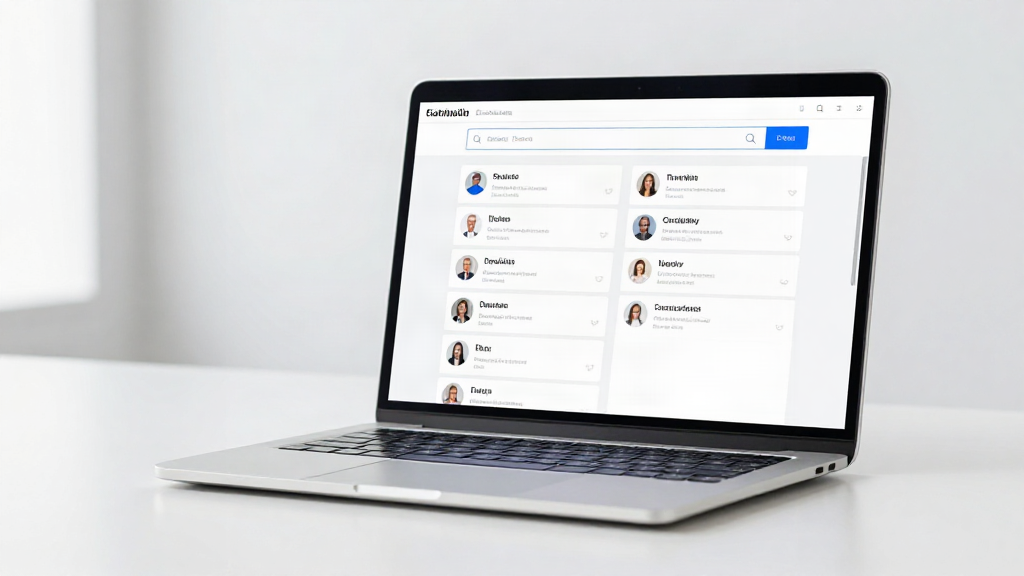
You know the candidate is in there somewhere. They applied three months ago, their CV landed in your inbox, and now a client wants a shortlist - and you cannot find their details. The CV is not lost. It is just buried under hundreds of other attachments across Gmail, Outlook, or your Microsoft 365 mailbox.
This guide answers the questions recruiters ask most often about searching CVs they have already received by email, and explains how to make that search instant instead of painful.
Why is it so hard to find a CV you already received?
Because your inbox was never built to be a candidate database. Email is designed around conversations, not people. When a CV arrives, it becomes one more message in a long thread of messages, and the information inside it - name, role, location, skills, right to work - stays locked inside a file attachment.
That creates three recurring problems:
- Scattered attachments. The same candidate might sit in one inbox folder, a colleague's mailbox, a download folder, and a shared drive.
- Duplicate records. You re-save a CV you already had, because you could not tell you had it.
- No structured search. You can search a subject line, but not a skill, a location, or a job title.
The result is time lost to scrolling, and strong candidates you already know going cold simply because you could not find them again.
Can you search inside CV attachments in Gmail or Outlook?
Not properly. Native email search looks at message metadata - sender, subject, date, and the body text of an email - not the contents of the PDF or Word file attached to it. If a candidate's CV says "Python developer, Manchester" but the email subject only says "Application," a standard search will not connect the two.
Some mail clients will let you filter by "has attachment," and some will index file names. That helps you find files, not people. It still leaves you opening attachments one by one to check whether each one matches what you are looking for.
What does it mean to make CVs searchable?
Making CVs searchable means turning each attachment into a structured candidate profile you can query. Instead of storing a file, you store the useful details from that file - candidate name, current role, skills, location, and contact information - in a format you can actually filter and sort.
Once that data is structured, searching for "candidates I already received" becomes a normal search:
- Type a skill, a job title, or a location.
- See every candidate who matches, pulled from your own inbox history.
- Open the profile, confirm the details, and get on with the shortlist.
You stop treating your inbox as a filing cabinet and start treating it as a candidate pool.
How does turning email CVs into a database actually work?
The practical version is simpler than adopting a full applicant tracking system. With a tool built for email-based recruitment, such as RecrutFlo, the flow is:
- Connect. Link your mailbox - Gmail, Outlook, Microsoft 365, or a standard IMAP inbox.
- Organize. Every incoming CV is read, and the candidate information is extracted and arranged into a structured profile automatically.
- Find. Search your whole candidate history by skill, role, or location, and pull up people you already know in seconds.
You can also upload CVs you received before you connected your mailbox, so your existing candidate pool comes with you. There is no manual data entry, and no long migration project.
Will this replace my ATS or change how I work?
No - and that is deliberate. A traditional ATS is a heavy system built for large hiring operations and formal workflows. Many independent recruiters and small teams do not need that, and do not want to pay for it or spend weeks setting it up.
A searchable CV database works alongside the way you already recruit. You keep receiving CVs by email exactly as you do today. The difference is that what arrives is now organized and searchable, so the candidates you already have become easy to revisit the moment a new role comes in.
Is it safe to have my candidate data processed this way?
Candidate data is sensitive, so it is reasonable to ask. A well-built tool accesses your mailbox only to find and organize CVs, keeps your data private, and leaves you in control of it. You decide which mailbox to connect, and you can manage what is stored.
Importantly, the tool assists you - it does not make decisions for you. It does not rank candidates, reject applications, or make hiring decisions. It simply helps you find and organize information you already have. The judgement stays with you.
How do I stop creating duplicate candidate records?
Duplicates usually happen because you cannot tell whether you already have someone. Searchable profiles solve that directly: before you save a new CV, you can search the candidate by name or email and see whether they already exist in your database.
Because every profile is built from the CVs you receive, similar details cluster around the same person rather than scattering across folders. You check first, add once, and keep a cleaner candidate history.
What is the fastest way to find a candidate you already received?
The fastest route is to stop searching your inbox and start searching your candidate data. Three steps get you there:
- Connect the mailbox where your CVs land.
- Let the CVs already sitting there turn into structured profiles.
- Search by the detail you remember - a skill, a former employer, a city.
What used to be ten minutes of scrolling through attachments becomes a single search. And every CV you receive from then on makes the database stronger, not messier.
Your next shortlist is probably already in your inbox. Connect. Organize. Find.