
Recruitment operations
Candidate Activity Log: What to Record and How
By Andre · · 12 min read
Candidate Activity Log: What to Record and How

A candidate activity log is the running record of everything that happens to a candidate: when the CV arrived, who read it, who replied, what was said on the phone and what happens next. For teams that receive applications in a shared inbox, the best log is the one that builds itself from the inbox instead of relying on someone to remember to type it up. That is the idea behind RecrutFlo: it connects to your mailbox, spots CV attachments, and turns each one into a searchable candidate profile, so the record starts the moment the email lands.
This guide covers what belongs in a log, how to keep it useful, and how a small team can coordinate from it without buying a heavy applicant tracking system (ATS).
TL;DR
- An activity log is a dated, attributed record of each action on a candidate: received, reviewed, contacted, interviewed, decided.
- Log what changes the next step: two-way conversations, interview notes, status changes, availability and ownership.
- Use a fixed vocabulary of activity types and a short time window for entries, so the log stays searchable and trusted.
- A log built on a single candidate profile per person, with duplicates merged, prevents two recruiters contacting the same candidate.
- You can start on RecrutFlo’s free plan and move to a paid plan from €19 per month when volume grows.
Table of Contents
- What a candidate activity log is, and why teams keep one
- What to record in the log
- Why records scatter in a shared inbox
- How to keep a log that people actually use
- Using the log to coordinate the team
- Privacy and audit: log with care
- Do you need a full ATS to keep a log?
- Where RecrutFlo fits
- Our view on logs
- FAQ
- Sources
What a candidate activity log is, and why teams keep one
Think of it as the candidate’s timeline. Each line answers four questions: what happened, when, who did it, and what comes next. In a shared inbox, those answers are usually scattered across forwarded emails, personal notes and memory. The log pulls them into one place.
It does three jobs:
- Coordination. Anyone on the team can open a profile and see where things stand, without asking a colleague.
- Accountability. When a client or a hiring manager asks “did anyone get back to this person?”, the answer is a line in the log, not a guess.
- Audit. Candidate records often persist for years, accumulating stage history, notes and email activity, and large ATS vendors document activity feeds and change logs for exactly this purpose, as one 2026 analysis of enterprise recruiting platforms describes.
For a five-person agency or a company that hires a few times a quarter, the goal is the same as in a large enterprise, just with fewer fields and less ceremony.
What to record in the log
The temptation is to record everything. The better rule: record what someone else would need in order to act without asking you.
One staffing-industry standard is blunt about this. TEEMA Group’s guiding principles for candidate representation say that recognized activities such as completed calls, logged emails, texts and interview notes must be entered in the system, and that if an activity is not entered, it did not happen. The same document asks for two-way communication to be logged within 24 hours. You do not have to adopt their exact rules, but the logic travels well: an unlogged conversation is invisible to the rest of your team.
The minimum useful entry
| Field | Example | Why it matters |
|---|---|---|
| Date and time | 12 Nov 2026, 2:40 PM | Puts events in order and shows response speed |
| Who | Dana (recruiter) | Shows who owns the relationship |
| Activity type | Phone screen | Lets you filter and count by type |
| Summary | Open to hybrid, wants $70k+, can start in 4 weeks | The part the next person actually reads |
| Next step | Send to hiring manager by Friday | Turns history into action |
Events worth logging
- Application received: the date, the source mailbox and the CV file.
- First review: who looked at it and the outcome (shortlist, hold, decline).
- Outbound and inbound contact: emails, calls and messages that involved the candidate talking back.
- Interview notes: a consistent template beats free-form paragraphs. TEEMA’s template asks for full answers and rejects one- or two-word entries, which is a good habit to copy.
- Candidate facts that change: salary expectations, notice period, languages, location and availability. Our guide to candidate availability tracking covers how to record those without letting them go stale.
- Decisions and reasons: why a candidate was declined or placed, in a neutral, factual sentence.
What to keep out
Stick to job-relevant facts. Do not log guesses about age, health, family plans or anything unrelated to the role. Assume a candidate could one day ask to see their record, and write every line accordingly.
Why records scatter in a shared inbox
Email is a good intake channel and a poor database. A CV arrives as an attachment, gets forwarded, replied to from a personal address, saved to a desktop and discussed in chat. Each step creates a fragment of the history in a different tool, and the same pattern shows up in other systems too: activity data spreads across several tools and has to be stitched back together before anyone sees the full picture of an account or a candidate.
Three problems follow:
- Lost CVs. An application sits in a colleague’s folder. See our walkthrough on how to track applicant emails without losing a CV.
- Duplicate contact. Two recruiters write to the same person on the same day, because nothing showed that one of them already had.
- Slow searches. Finding “the Spanish-speaking accountant from March” means opening dozens of emails.
How to keep a log that people actually use
A log fails for one reason: it takes more effort to write than it saves. These habits keep the effort low.
1. Fix a short list of activity types
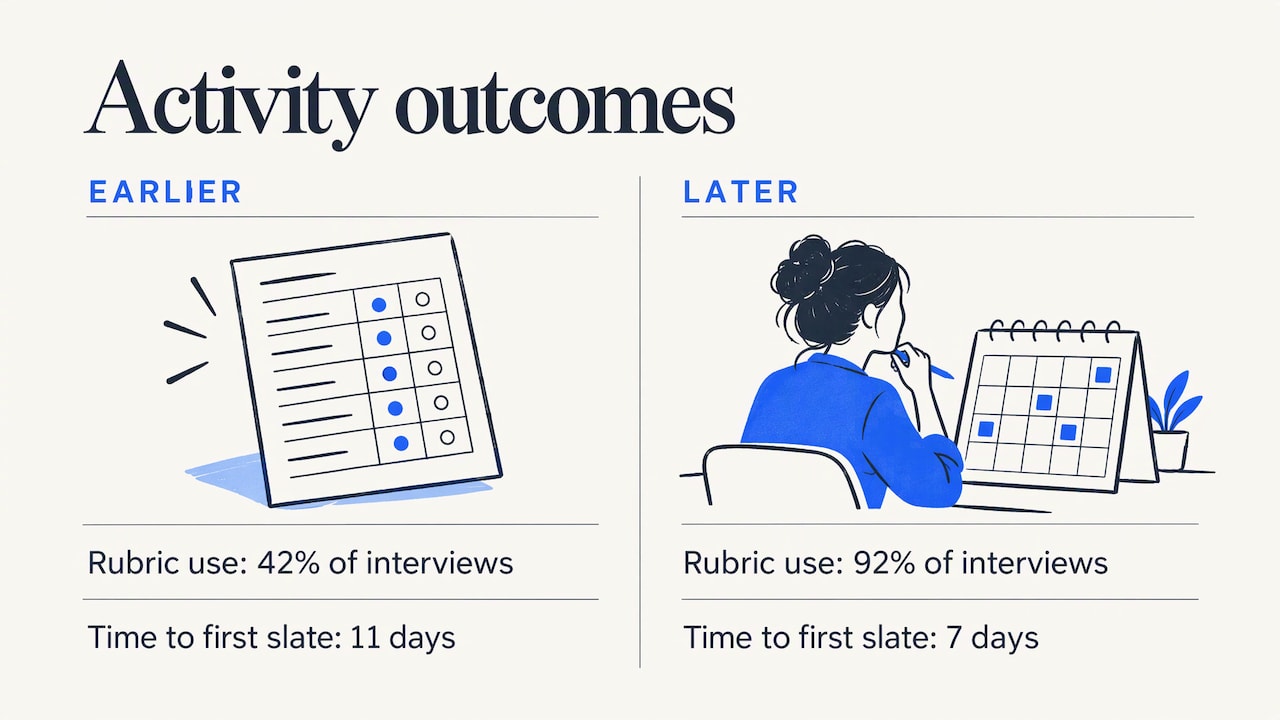
Pick six to ten: Received, Reviewed, Contacted, Phone screen, Interview, Submitted to client, Offer, Declined, Placed. A closed vocabulary makes filtering and counting possible. The diversity-recruiting case study on the eLearning Blog describes a firm that tagged every hiring activity to a shared vocabulary and logged it in real time; it reported rubric use rising from 42% to 92% of interviews and time to first slate falling from 11 to 7 days within two quarters. That is one firm’s account, but it shows what consistent tagging makes visible.
2. Set a logging window
Same day is ideal, 24 hours is a workable ceiling. After that, memory fades and entries turn vague. Put the rule in writing and make it part of how the team finishes a call.
3. Write for the next reader
Bad: “Spoke to Sam, good.” Better: “Sam is available from 3 January, prefers remote, expects $62k, has two other interviews this week. Call back Thursday.” If a colleague could take over from that line alone, it is good enough.
4. One profile per person
The log is only reliable if each candidate has exactly one record. People apply twice, from different addresses, or get sent in by two sources. Merge duplicates early so history does not split in two.
5. Let software capture what it can
Every field you fill in by hand is a field that will sometimes be skipped. Contact details, skills, languages, location and the original CV should come from the email itself. Then people spend their time on what only a person can write: judgment, context and next steps.
Using the log to coordinate the team
Once entries are consistent, the log becomes a working tool rather than an archive.
- Ownership. Each active candidate has one named owner. Others can see history, but only the owner contacts.
- Daily review. Filter for candidates with a next step due today or overdue. Five minutes replaces a status meeting.
- Handover. When someone is away, a colleague picks up from the log, not from a forwarded inbox.
- Client answers. For agencies, the log answers “when did you send this profile and what did the candidate say?” in seconds.
- Reporting. Counting activities by type per week shows where the pipeline slows: slow first reviews, or too few follow-ups after interviews.
These are also the recruiter productivity gains that matter most for small teams: fewer duplicated messages, fewer “where is that CV?” searches and faster handovers. For a deeper look at the search side, see our candidate search best practices.
Privacy and audit: log with care
A candidate log is personal data, so who can see it and how long it stays matter as much as what it says. Give access by role, keep a trail of who changed what, and set a retention routine. If you hire in or from the EU, our guide to the GDPR audit trail for recruiters lists what to log and keep. US retention periods vary by state and by employer type, so confirm yours with your employment counsel or HR adviser before setting a deletion schedule.
Documentation habits also carry over to the rest of HR. If you are weighing how to store conversation records and policies together, this overview of HR document management frames the options for keeping documents timely and detailed.
Do you need a full ATS to keep a log?
Not necessarily. A traditional ATS is built around job postings, career pages and multi-stage pipelines. If your candidates mostly arrive by email, you may need a lot less: an organized, searchable database fed by the inbox, with a clear history on each profile. We compare the two approaches in recruitment inbox vs traditional ATS, and our guide on how to hire without an ATS shows the practical setup for small teams.
If you are deciding what to automate first, small business recruiting automation is a good place to start, and agencies can follow the staffing agency email workflow from inbox to candidate.
Where RecrutFlo fits

RecrutFlo connects to Microsoft 365, Outlook and IMAP mailboxes (Gmail is coming soon). It detects CV attachments in incoming mail, parses PDF, DOC and DOCX files, and extracts contact details, experience, skills, languages, location, role context, salary expectations and availability into a candidate profile. It flags duplicates, supports CSV export, and includes an audit trail, team access control and workspace isolation.
Setup needs no onboarding call or implementation project, and plan limits are published, so you can decide without talking to sales. You can start on the free plan and test the workflow with your own inbox. Paid plans are Starter at €19 per month, Professional at €49 per month and Business at €149 per month. If you need more capacity in a busy month, extra processing runs are a one-off purchase: 100 for €9, 500 for €29 or 1,000 for €49. See all plans on the pricing page, or look at how it works.

Our view on logs
We think a log should be a by-product of work, not an extra job. Most small teams do not fail at recruiting because they lack discipline. They fail because the history of a candidate lives in four inboxes and two people’s heads.
That is why we start from the inbox. The CV arrives, the profile is created, the details are pulled out and duplicates are flagged. Recruiters stay in control: automation handles the repetitive typing, and people decide who to call, what to write and what to do next.
Our advice is simple. Keep one profile per person, use a short list of activity types, write the next step on every entry, and give each candidate one owner. Do that, and a small team can run a clear, auditable process without the cost or complexity of a traditional ATS.
Marco
FAQ
What is the purpose of a candidate activity log?
It records every action on a candidate, with a date and the person responsible, so the whole team can see the history and the next step. It prevents duplicate contact, supports handovers and gives you evidence of what was done and when.
How do I write a good activity log entry?
Include the date, your name, the activity type, a short factual summary and the next step. Write it so a colleague could continue the conversation without asking you anything. Keep to job-relevant facts and avoid opinions you would not want the candidate to read.
How soon should I log a call or email?
Same day is best, and within 24 hours is a sensible limit. Staffing standards such as TEEMA’s guiding principles use the 24-hour window for two-way communication. Late entries lose detail and the rest of the team works from outdated information.
Can a shared inbox work as an activity log?
On its own, an inbox holds messages but not structured history, ownership or search by skills and location. Connecting the inbox to a candidate database gives you profiles, duplicate detection and a searchable record, while email stays your intake channel.
Sources
- GUIDING PRINCIPLES: CANDIDATE REPRESENTATION (TEEMA Group, 2024)
- What the ATS Knows About You (That You Don’t)
- How a Diversity Recruiting Firm Used Collaborative Experiences and an xAPI LRS
- Automatic activity capture for CRM admins
- HR document management options